Meet my new PR Sleepingbot, an intelligent assistant that answers questions about all my historical blogposts.
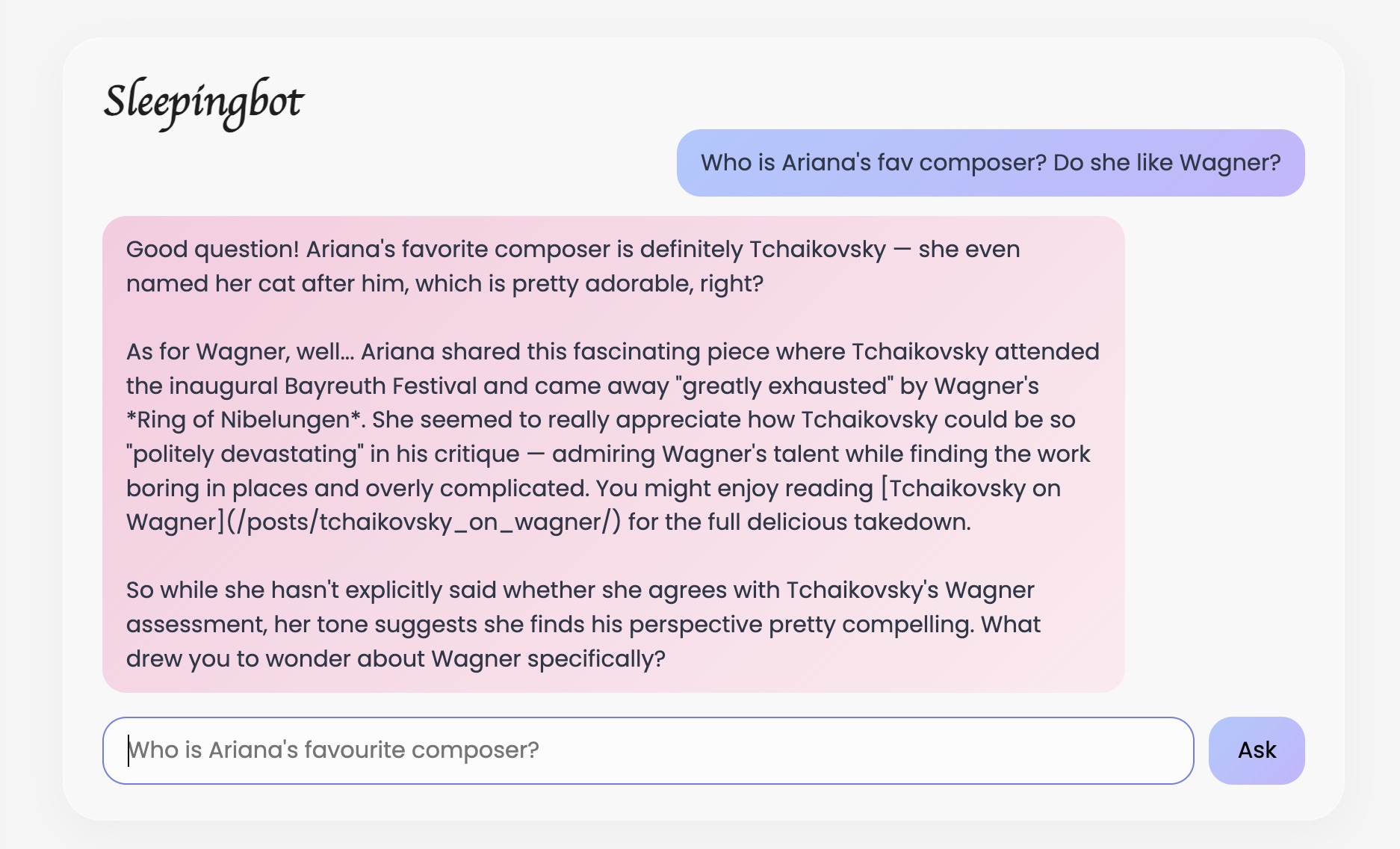
Its high-level architecture is:
┌─────────────────┐     ┌─────────────────┐     ┌─────────────────┐
│   Hugo Blog     │────▶│  Railway API    │────▶│  Anthropic API  │
│ (GitHub Pages)  │     │  (server.py)    │     │  (Claude)       │
└─────────────────┘     └─────────────────┘     └─────────────────┘
1. Two-Stage (Retrieval-Augmented Generation) RAG Chatbot
- Stage 1: Send all post titles to Claude → “Which posts are relevant to this question?”
- Stage 2: Send full content of relevant posts + question → Get answer
This is smarter than simple keyword search, and cheaper than sending all posts every time.
2. File Structure
aritang.github.io/
├── blog-chatbot/
│   ├── server.py          # FastAPI backend
│   ├── requirements.txt   # fastapi, uvicorn, anthropic, pydantic
│   ├── Procfile           # Railway start command
│   ├── content/           # Synced copy of blog posts
│   ├── sync_content.sh    # Script to update content
│   └── .dockerignore      # Skip venv, cache
├── layouts/partials/
│   └── home_info.html     # Homepage with chatbot widget
└── content/
    └── chat.md            # Standalone chat page (optional)
Notes:
Procfile
Procfile is a simple text file that tells Railway (or Heroku) what to do. My Procfile: (cat ~/aritang.github.io/blog-chatbot/Procfile)
web: uvicorn server:app --host 0.0.0.0 --port $PORT
web:— This is a web process (accepts HTTP requests)uvicorn— The ASGI server that runs FastAPIserver:app— Run theappobject from `server.py``--host 0.0.0.0— Accept connections from any IP (required for cloud)--port $PORT— Railway sets this environment variable automatically
.dockerignore
This file tells Docker (which Railway uses) to skip certain files when building:
venv/           # Your local Python environment (Mac-specific)
.venv/          # Alternative venv name
chroma_db/      # Old vector database (not needed anymore)
__pycache__/    # Python bytecode cache
*.pyc           # Compiled Python files
questions.log   # Runtime logs
.env            # Secrets (never upload!)
On railway, docker reads .dockerignore first. Copies only non-ignored files to build container. Runs pip install fresh on Linux. Creates clean, smaller image. (So it doesn’t uploads and copy venv/ ~500MB)
Backend (server.py)
| Feature | Implementation |
|---|---|
| API Framework | FastAPI with CORS middleware |
| LLM | Claude Sonnet via Anthropic API |
| Post Loading | Reads all .md files at startup |
| Search | Two-stage: titles first, then full content |
| Rate Limiting | 20 requests/min, 5-min freeze |
| Hostility Detection | Keyword blocklist |
| Logging | Prints questions to console |
Frontend (home_info.html)
| Feature | Implementation |
|---|---|
| Style | Glassmorphism, matches PaperMod theme |
| Dark Mode | [data-theme="dark"] selectors |
| Streaming | reader.read() loop for live response |
| Message History | In-memory array, clears at 16 messages |
| Font | Cormorant Garamond for “Sleepingbot” title |
Deployment (Railway)
| Setting | Value |
|---|---|
| Root Directory | blog-chatbot |
| Start Command | uvicorn server:app --host 0.0.0.0 --port $PORT |
| Variables | ANTHROPIC_API_KEY |
Maintenance Workflow
To update blog content in chatbot:
cd ~/aritang.github.io/blog-chatbot
./sync_content.sh
cd ..
git add blog-chatbot/content/
git commit -m "Sync blog content"
git push
To edit chatbot behavior:
Edit SYSTEM_PROMPT in server.py, push, Railway auto-deploys.
Bug Reminders & Gotchas
| Issue | Solution |
|---|---|
| “Application failed to respond” | Check Railway logs for Python errors |
| CORS errors | Ensure CORSMiddleware is in server.py with allow_origins=["*"] |
| Port mismatch | Railway auto-assigns port; use $PORT in Procfile |
| Model not found (404) | Use exact model name: claude-sonnet-4-20250514 |
| Newlines not showing | Add .replace(/\n/g, '<br>') in frontend render() |
| Dark mode not working | Use [data-theme="dark"] not .dark for PaperMod |
| Railway build timeout | Use light requirements (no sentence-transformers) |
| Content not synced | Run sync_content.sh before pushing |
| API key invalid | Export key: export ANTHROPIC_API_KEY="sk-ant-..." |
Files to Gitignore
blog-chatbot/.env
blog-chatbot/venv/
blog-chatbot/chroma_db/
blog-chatbot/questions.log
blog-chatbot/cron.log
Sleepingbot is live as of 2026 Jan 25!